Film sides maker

Sides

Build sides from the scenes on a shoot day or make a custom scene pull directly from the script.

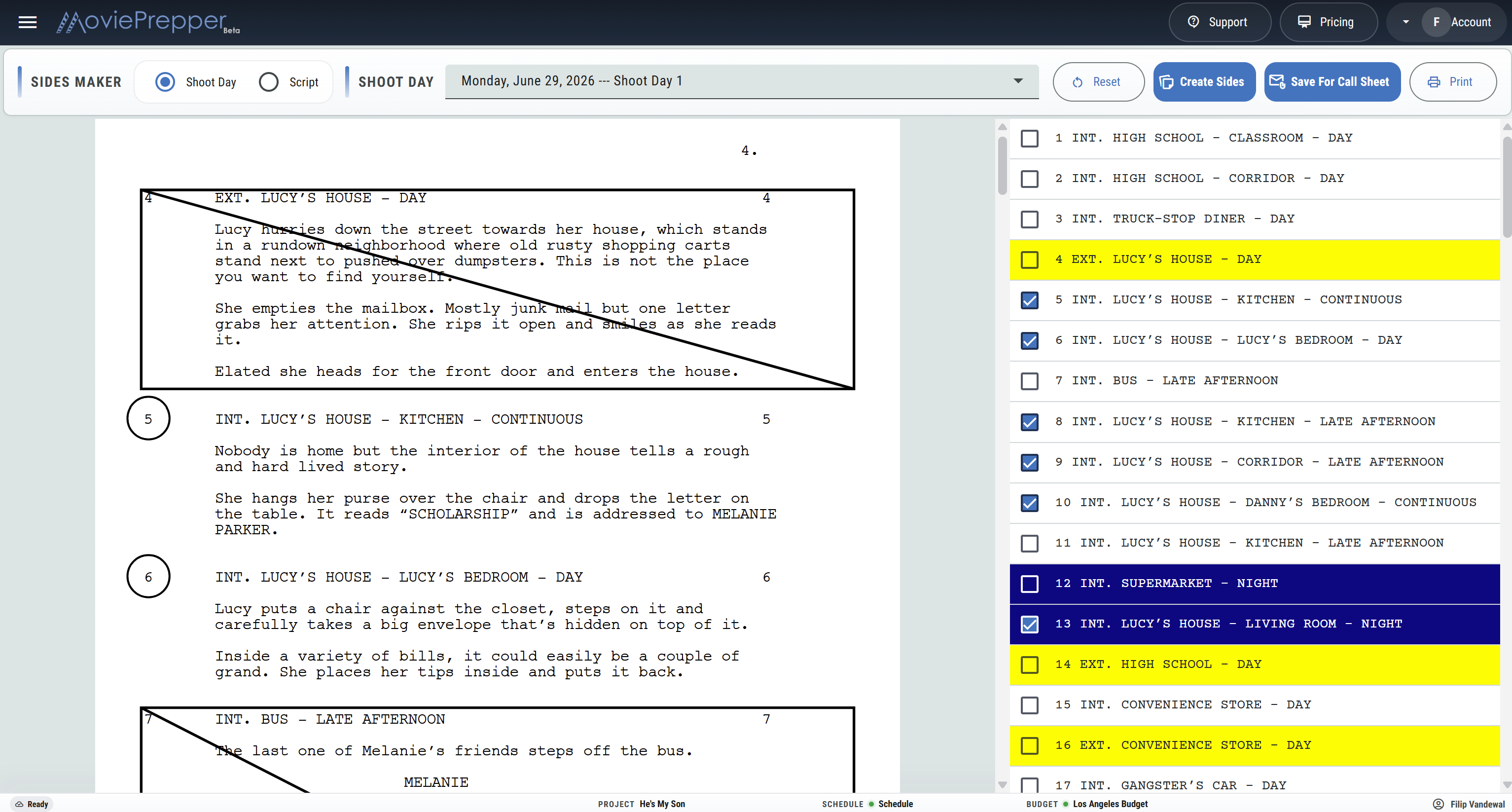
MoviePrepper circles the scene numbers, crosses out material that is not in the pull, marks continued pages, and prepares a clean PDF for set, rehearsal, casting, or the call sheet email.

Sides MakerShoot Day 6
24INT. MOTEL ROOM - NIGHTAVA checks the hallway, closes the door, and lowers her voice.AVAWe have one chance to get this right.(Continues...)
✓ 24 Motel Room✓ 31 Service Hall○ 32 Parking Lot

From stripboard to set

Start with the day or start with the script

For the day’s work, choose a shoot date and pull the scenes already scheduled on the stripboard. For rehearsals, casting sessions, director meetings, or department prep, switch to the script and choose scenes by hand.

01

Choose the pull

Work from a scheduled shoot day or select scenes from a script draft.

02

Check the scenes

Review the sluglines and include only the material needed.

03

Make the sides

Keep selected pages readable and strike the surrounding script material.

04

Print or send

Print the PDF or save shoot-day sides with the matching call sheet.

Sides Maker features

A practical scene pull for production

Prepare the pages people need without rebuilding the script by hand.

Shoot-day sides

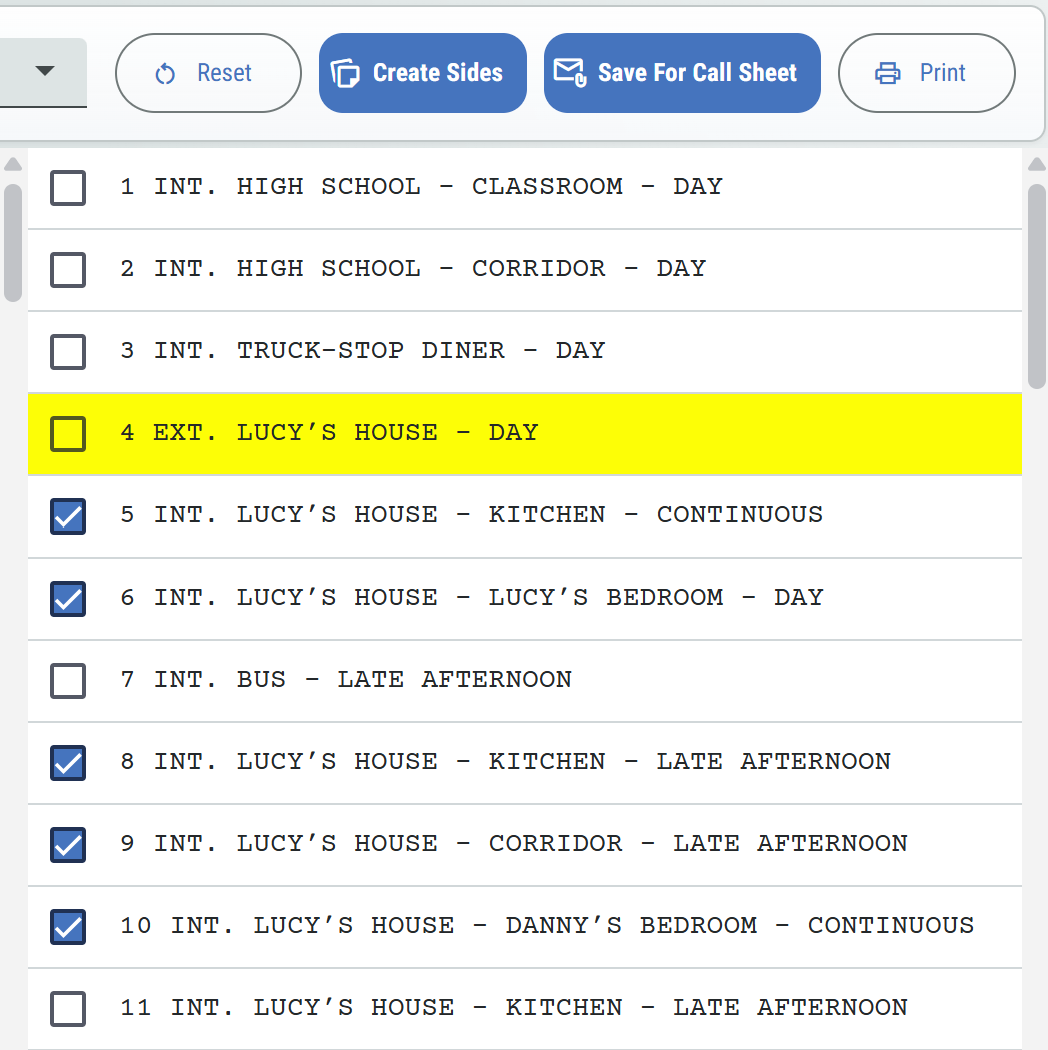
Choose a dated shoot day and pull the scenes assigned to that day’s stripboard.

Custom scene pulls

Switch to Script and check scenes for rehearsals, auditions, meetings, or department prep.

Circled scene numbers

Mark the selected scene number using its position and text width in the source PDF.

Excluded material crossed out

Strike script areas outside the selected scenes while keeping the page and pagination intact.

Continued scenes

Carry a scene across pages and mark when the selected material continues.

End-of-scene marks

Identify a scene that finishes at the bottom of its final page without marking pages that continue.

Script draft selection

Choose the script or episode needed for the pull and review its scene list beside the PDF.

Clean reset

Clear every checked scene and return to the original PDF with no sides markings.

Print-ready PDF

Review and print the finished pull for cast, crew, rehearsals, or the production office.

Call sheet attachment

Save the day’s sides with the matching call sheet so they can travel with the call sheet email.

Side-by-side review

Read the PDF beside the scene list while deciding what belongs in the pull.

Production permissions

Let the appropriate production roles create and save sides while view access remains available to the crew who need it.

Shoot-day pull

Follow the schedule without retyping a scene list

When the stripboard changes, the shoot-day view gives the production office a direct way to pull the pages attached to that date. The checked scenes can still be reviewed before the PDF is made.

  • Choose the current schedule and shoot date.
  • See the scenes assigned to the day.
  • Adjust the pull before creating the PDF.
  • Save the finished packet with the call sheet.
  • Replace the day’s packet when the scene pull changes.
DayShoot Day 6
Scene 24Selected
Scene 31Selected
Scene 32Not in pull
OutputCall sheet sides

For more than the call sheet

Pull only the material in front of the room

Sides are useful anywhere a production needs focused script pages. Choose a single scene, a run of scenes, or material spread across the draft without sending the full screenplay.

  • Director and actor rehearsals.
  • Casting sessions and callbacks.
  • Table reads and scene work.
  • Department meetings and technical planning.
  • Last-minute shoot-day changes.

Production Pull

Selected scenes, original pagination, circled headings, continued-page marks, and print-ready output.

Film sides FAQ

Questions from the production office

Can I pull sides by shoot day?

Yes. Choose the day and start with the scenes scheduled on that date.

Can I choose scenes myself?

Yes. Script mode lets you check any combination of scenes from the selected draft.

What happens to unselected material?

Excluded page areas are crossed out while the selected scene remains readable.

What happens when a scene crosses a page?

The scene stays in the pull and the PDF marks that the material continues.

Can sides go with the call sheet?

Yes. Save shoot-day sides to the matching call sheet attachment library.

Can I return to the clean script?

Yes. Reset clears the pull and restores the original PDF without annotations.

Pull the scenes. Get the pages to set.

Build sides from the stripboard or the script, check the pages, and send the day’s material with the call sheet.

Start Your Project