Calls, meals, and wrap
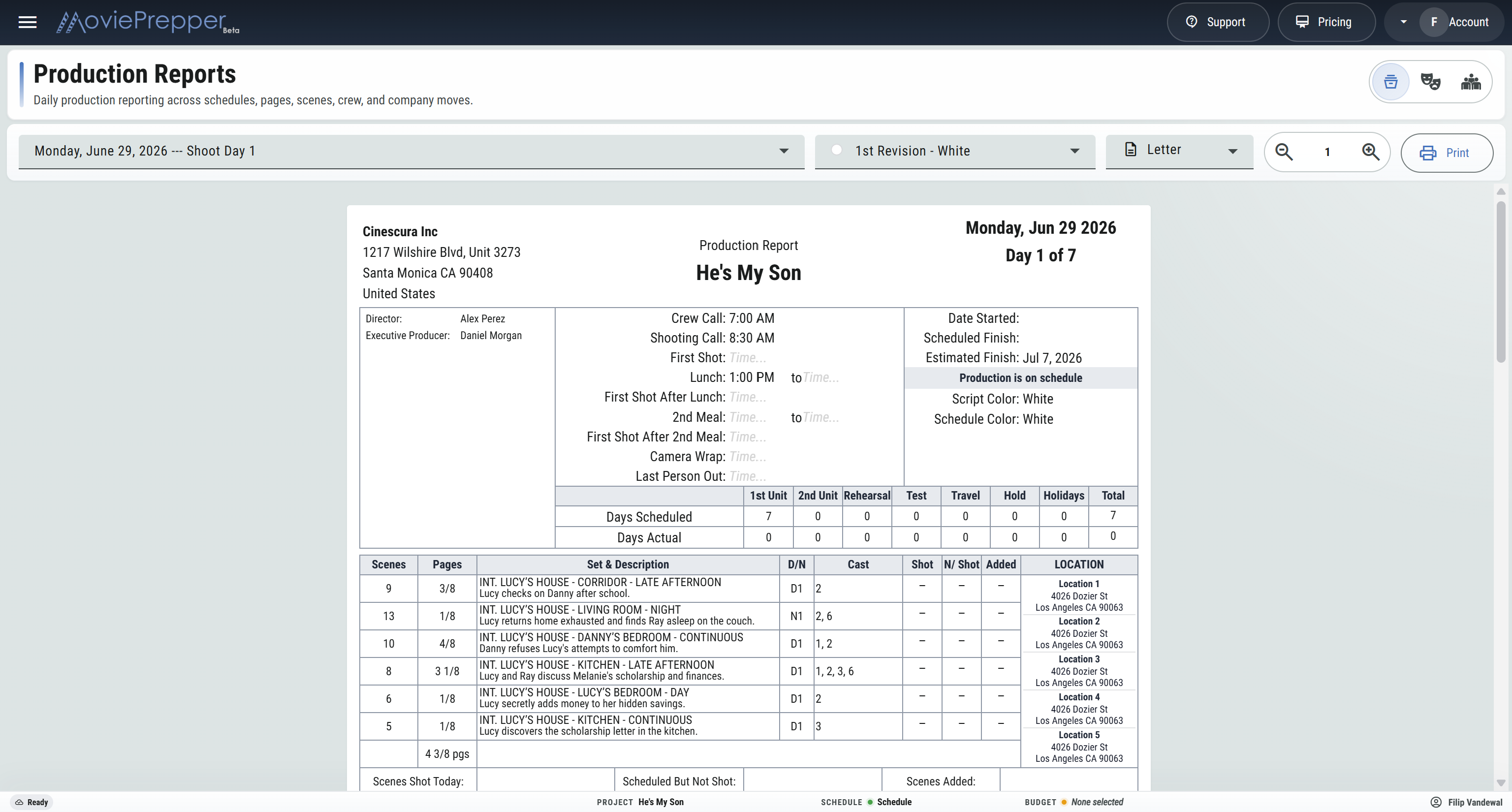
Record crew call, shooting call, first shot, lunch, second meal, first shots after meals, camera wrap, and last person out.

Daily production reports
Record the day from crew call through last person out, then carry scenes, pages, setups, rolls, cast, background, crew hours, notes, signatures, and Exhibit G into the production report.
The report
Record crew call, shooting call, first shot, lunch, second meal, first shots after meals, camera wrap, and last person out.
Carry production start, scheduled finish, estimated finish, and whether the picture is on, ahead of, or behind schedule.
Count 1st unit, 2nd unit, rehearsal, test, travel, hold, and holiday days.
Mark scheduled strips shot, not shot, or added, with previous, today, to-date, and remaining scene and page totals.
Enter today’s setups and screen minutes beside the previous and to-date totals.
Track A, B, C, and D camera rolls, sound rolls, and data in GB or TB, with previous, today, and to-date counts.
Carry the shooting locations for the day into the production report.
Keep camera, sound, data, schedule, adjustment, and general production notes.
Choose and order the key people shown on the report, then set the signatories to sign off.
Cast, Background & Crew
Keep the cast report, background vouchers, and crew time record with the day’s call sheet so production, payroll, and the AD department can check the actual times and counts.
Daily production paperwork
Complete performer status, minor status, HMW and set times, meals, company travel, stunt adjustments, tutoring, outfits, forced calls, MPVs, hours, and overtime units.
Prepare a separate background and stand-in sheet with quantities, rates, in and out times, MPVs, and adjustments.
Use preliminary and revision paper colors, choose Letter, Legal, or A4, check the working preview, and print each report as a PDF.
From cast reports and crew time to background vouchers and production notes.
Prepare a Production Report