Change it once
Make the change where it happens instead of repeating it across separate documents.

Professional film production software
One change. Everyone has the latest. From script to set.
One payment per production. No monthly or per-seat licenses.
Professional Prep, not AI shortcuts.
Good prep means knowing the script before the crew arrives. MoviePrepper takes you through every scene so you know the cast, props, wardrobe, locations, equipment and production problems before the shoot. An AI-generated breakdown still has to be checked, corrected and filled in.
“Catch it in prep, not when the crew is on the clock.”
When the schedule changes
Change a scene, cast day or location. The latest information carries into the schedule and call sheets.
Make the change where it happens instead of repeating it across separate documents.
The latest scene, cast, location and schedule information stays with the production work that uses it.
Call sheets and sides use the latest schedule and production information.
20+ Years in Film Production
MoviePrepper comes from more than two decades working on international features, episodic productions, commercials and independent films.
Production Credits
Core workflow
Script. Breakdown. Schedule. Department prep. Call sheets. Shoot day. Production reporting.
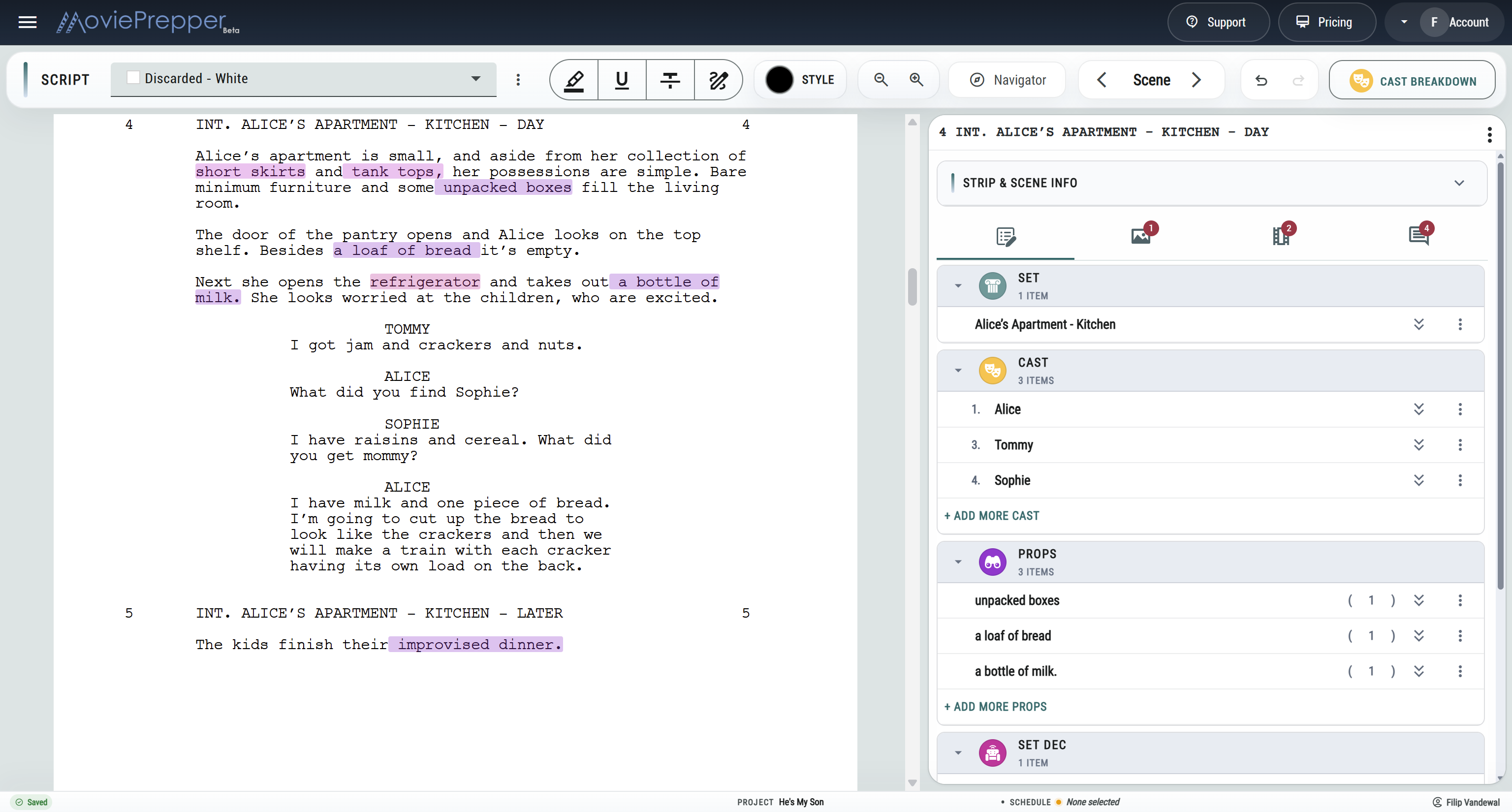
Go through the script scene by scene. Confirm the cast and sets. Mark the props, wardrobe, vehicles, background, equipment and anything else the scene needs. By the time you build the schedule, you already know what you are dealing with.
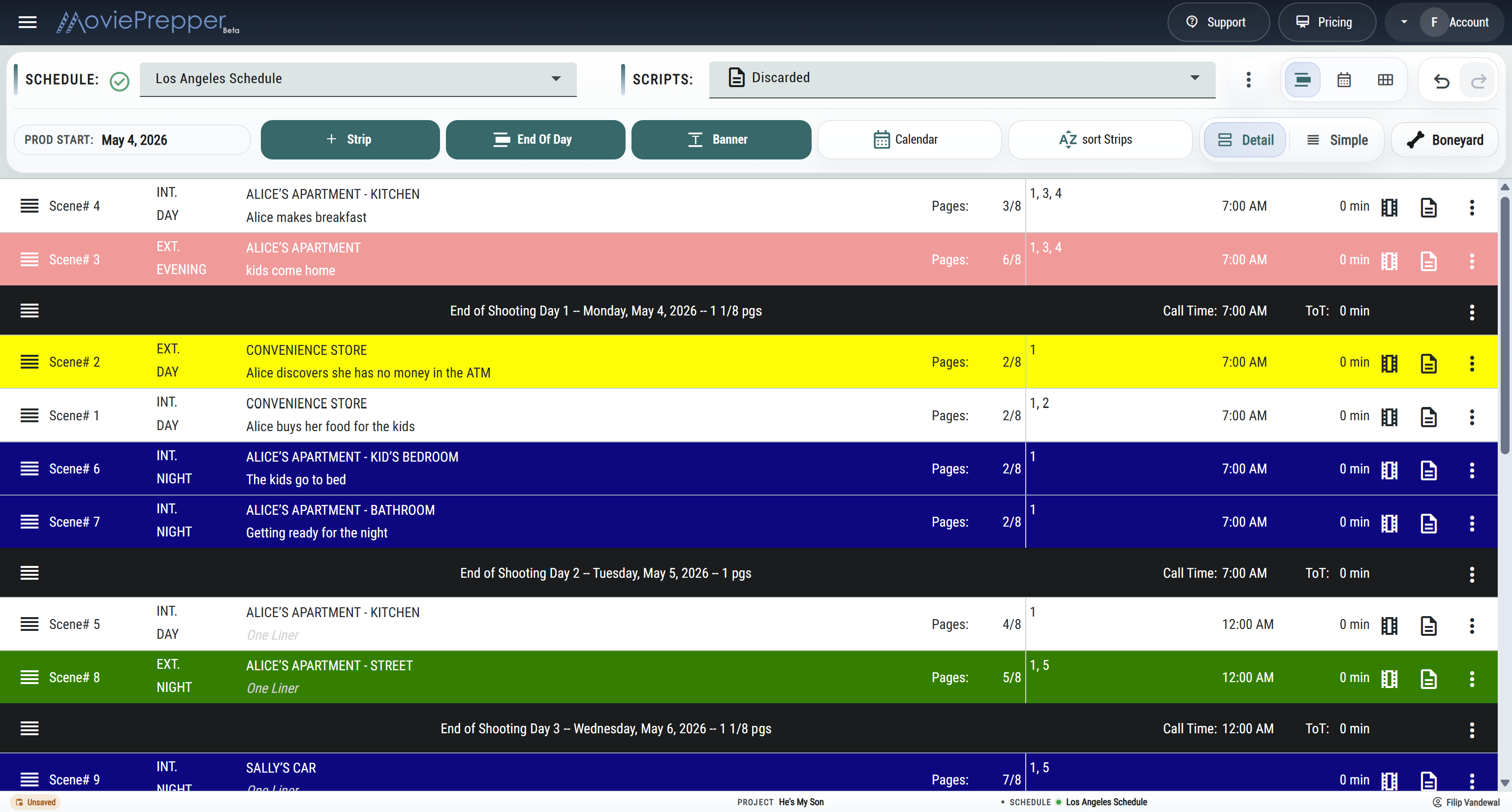
Schedule and reschedule scenes without separating them from their cast, sets, page counts and department elements. You’re building the shooting plan from the movie you just broke down, rather than reviewing a schedule somebody else generated.
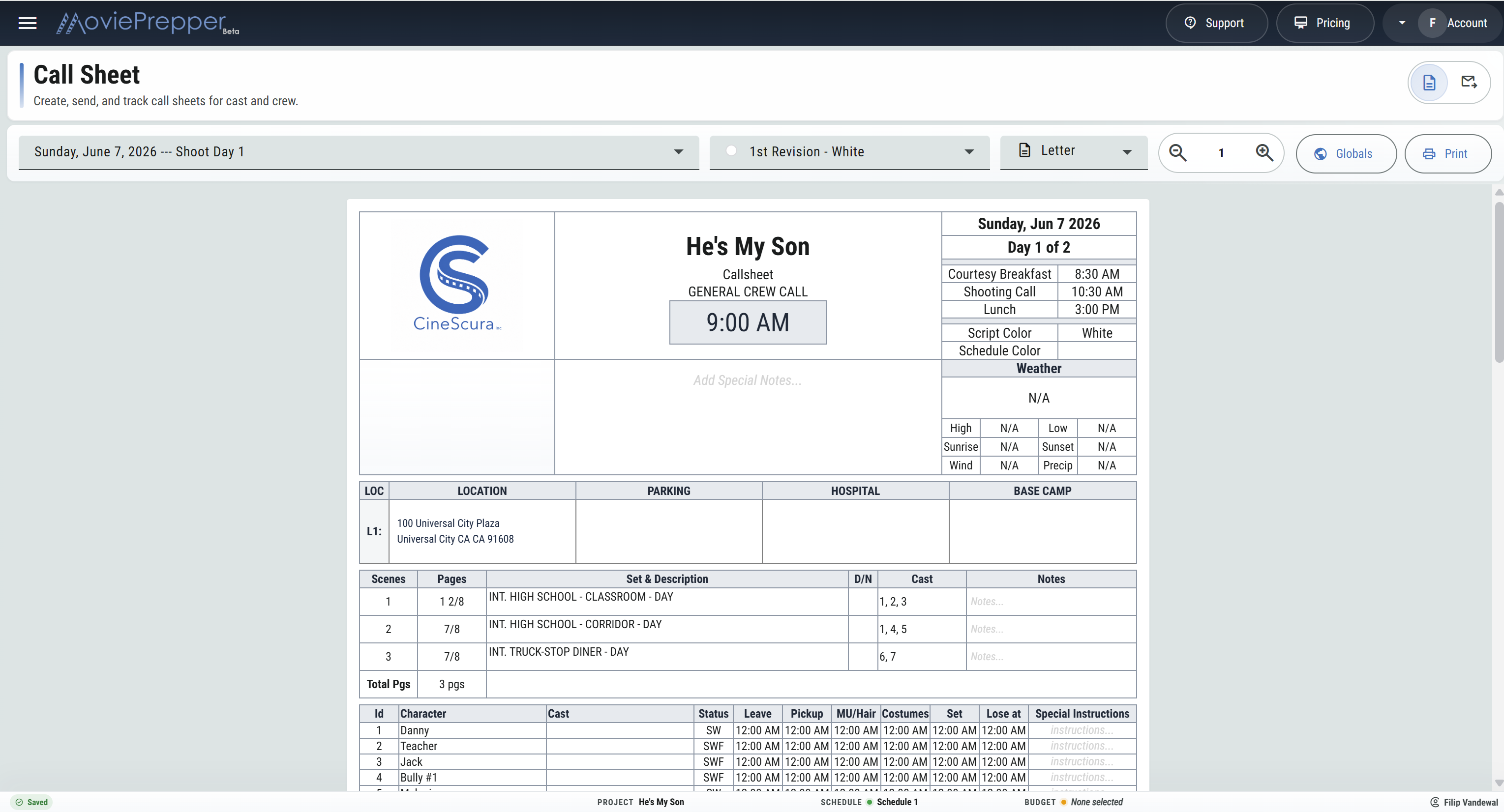
Use the scheduled scenes to prepare call sheets and sides, then make the production report after the shoot day.
When new pages come in
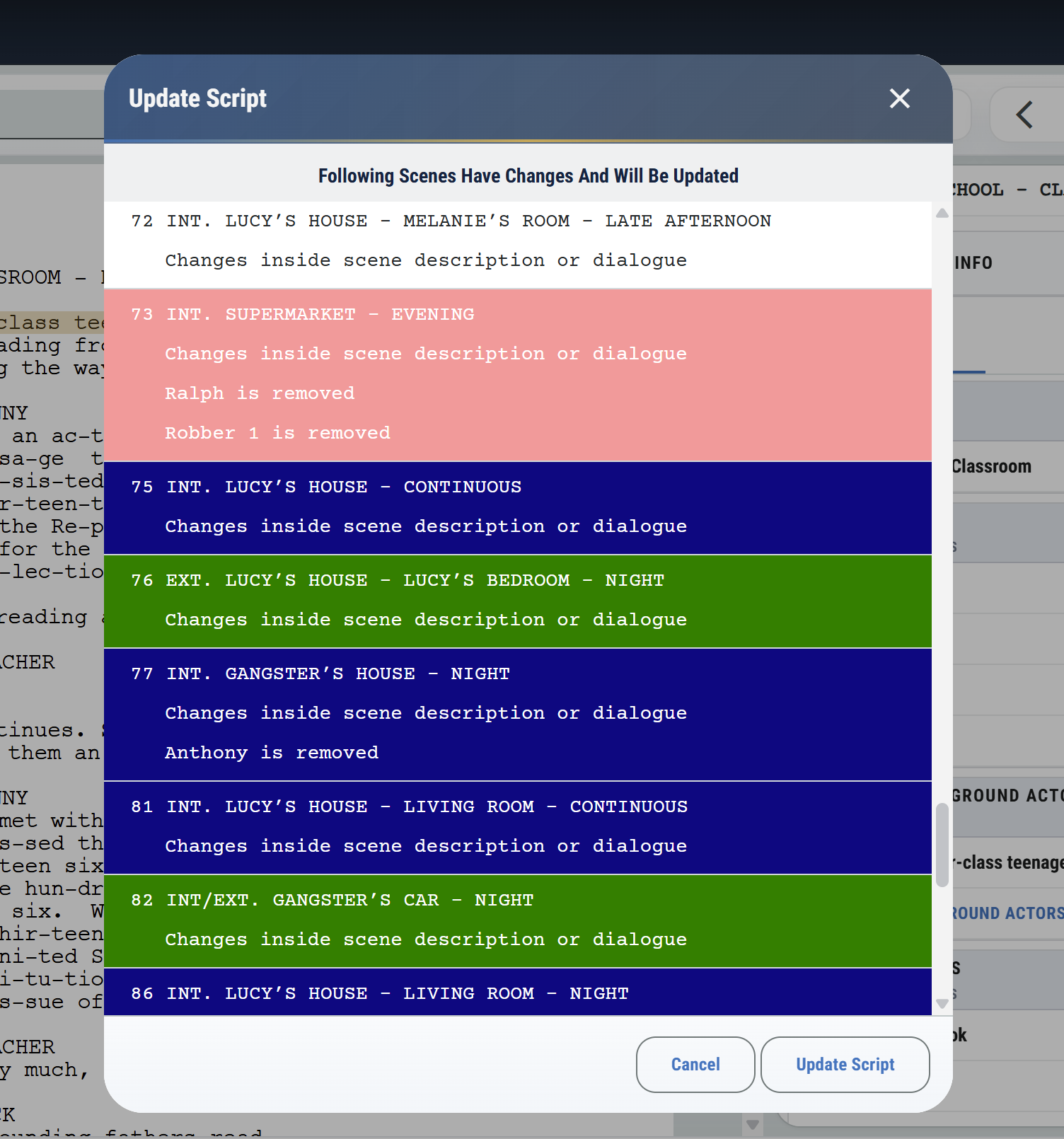
Bring in the revised script, see what changed and keep your existing breakdown work with the scenes that still match.
New scenes. Deleted scenes. Revised scenes. Without starting over.
From Prep to Shoot Day
Review the shooting draft, confirm cast and sets, and tag the elements each department needs.
Keep casting, scouting, shot lists, costume, HMU, and art inside the production.
Organize cast, crew, locations, transport, vendors, equipment, and travel.
Create call sheets, pull sides, track delivery, report the day, and follow actual costs.
Prepared before the crew arrives
Understand the scenes, logistics, department requirements and production challenges before going into production.
Heavy page counts, compressed prep, lean crews, and constant schedule changes.
Professional breakdowns, schedules and shoot-day tools without a large production office.
Fast turnarounds with production details that stay current through every change.
Keep multiple scripts, cast, locations, shoot days, sides, and call sheets together.
Questions
MoviePrepper is film production software for breaking down scripts, building stripboards and schedules, preparing departments, making call sheets and sides, tracking budgets and actuals, and completing production reports.
MoviePrepper already breaks the script into scenes and detects scripted characters. From there, you go through each scene and add the props, wardrobe, vehicles, background, equipment and other production requirements that matter to your shoot.
That part is intentional. A full breakdown is where you start seeing the practical problems in the script. An AI-generated breakdown would still need to be checked and corrected, so MoviePrepper helps with the repetitive work while keeping the actual prep in your hands.
Not if you have to check and correct the work afterward. A missed prop, wrong cast call, location problem or bad scheduling assumption can cost far more time on the shoot day than it saved in prep. MoviePrepper is built around catching those things before the crew arrives.
Information entered in the breakdown stays with the scene as it moves into the stripboard, shooting schedule, sides, call sheet, and production report.
Yes. Choose a shoot day and start with its scheduled scenes, cast, crew, locations, call times, and shoot-day details already in place.
Yes. Use MoviePrepper for the stripboard alone or connect it with breakdowns, budgets, locations, call sheets, sides, and reports.
No. MoviePrepper is priced per production, with no monthly or per-seat charge.
MoviePrepper is built for vertical dramas, indie films, commercials, music videos, documentaries, features, and episodic productions with lean crews.
MoviePrepper uses authenticated access, project-scoped permissions, private production file storage, and short-lived read-only file links to keep work with authorized collaborators. Read about Security & Reliability.
No. Card checkout is handled through Stripe’s hosted Checkout flow. MoviePrepper receives the transaction details needed to activate a project but does not store full card numbers on its servers.
You retain ownership of the scripts, schedules, budgets, contacts, media, and other production material you upload or create. MoviePrepper also provides downloadable production documents from prep through the shoot.
MoviePrepper monitors application readiness across the service, database, storage, and required configuration. Request and error telemetry helps identify and diagnose operational problems.
Break down the scenes, create the stripboard, prepare the departments and take the latest schedule into the first shoot day.
One payment per production. No monthly or per-seat licenses.