What does the scene need?
Look at the set, the scene, the references, and what has to happen on screen.

For location managers, producers, and ADs
Find a location that looks right and can actually handle the shoot.
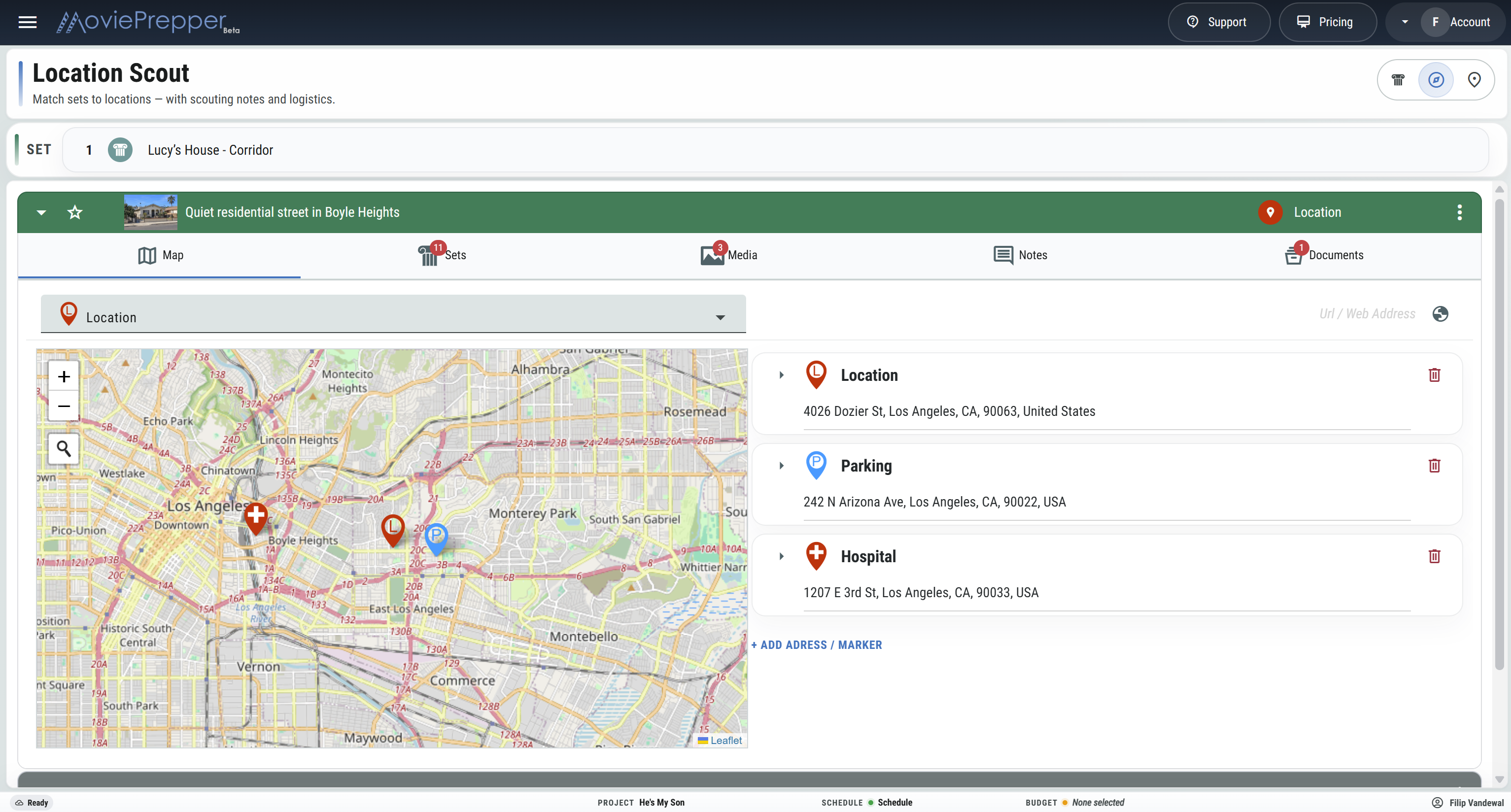
Look at the scout photos, access, sound, parking, base camp, fee, available dates, and site rep. Once the team makes a choice, show everyone where the trucks go, where crew parks, and who to call.
From first scout to tech scout
The location has to work for camera and for the company. Start with the scene, walk the options, make the choice, then sort out how the shoot will work there.
Look at the set, the scene, the references, and what has to happen on screen.
Shoot photos and note the address, avail, fee, access, sound, contacts, and restrictions.
Put the options in front of the director and producers and choose the location.
Confirm load-in, base camp, truck and crew parking, holding, hospital, and site rep.
On the scout
Once production likes a place, the same questions always come up. Is it available? Who is the site rep? What is the fee? Where are the photos, restrictions, and agreement?
See every place being considered for the same set and which one the production chose.
See the scout photos, reference images, video, and the parts of the property being considered.
See which dates work, which do not, and where the owner has restrictions.
Know who controls the property, who will be there on the shoot day, and how to reach them.
See the rate, number of days, and what the location will cost the production.
Put permits, location agreements, releases, maps, insurance files, and scout notes with the location.
Will it actually work?
Before the producer signs off, the location manager and AD need to know whether a full company can get in, shoot the scenes, and make the day.
What are we shooting here?
A single location might double for several sets. Keep the scenes, set names, scout photos, and creative references together so everyone knows what is being shot at the location.
SCRIPTED SET: DETECTIVE'S LOFT
Scenes 18, 24, and 31 • Warehouse Loft • Scout photos and creative references attached.
For the tech scout
The director needs the photos. ADs need access and holding. Transportation needs truck and crew parking. Grip and Electric need to know about power and load-in. Put those answers into the location PDF before the meeting.
Keep photos, contacts, access, parking, base camp, and location notes together before the company arrives.
Scout a Location