Department lists
Open all elements or one department at a time.

Scene elements
List cast, props, wardrobe, vehicles, background, sets, and every department element on the script breakdown.
See the quantity, notes, cast link, scene count, page total, and every scene where the element appears.
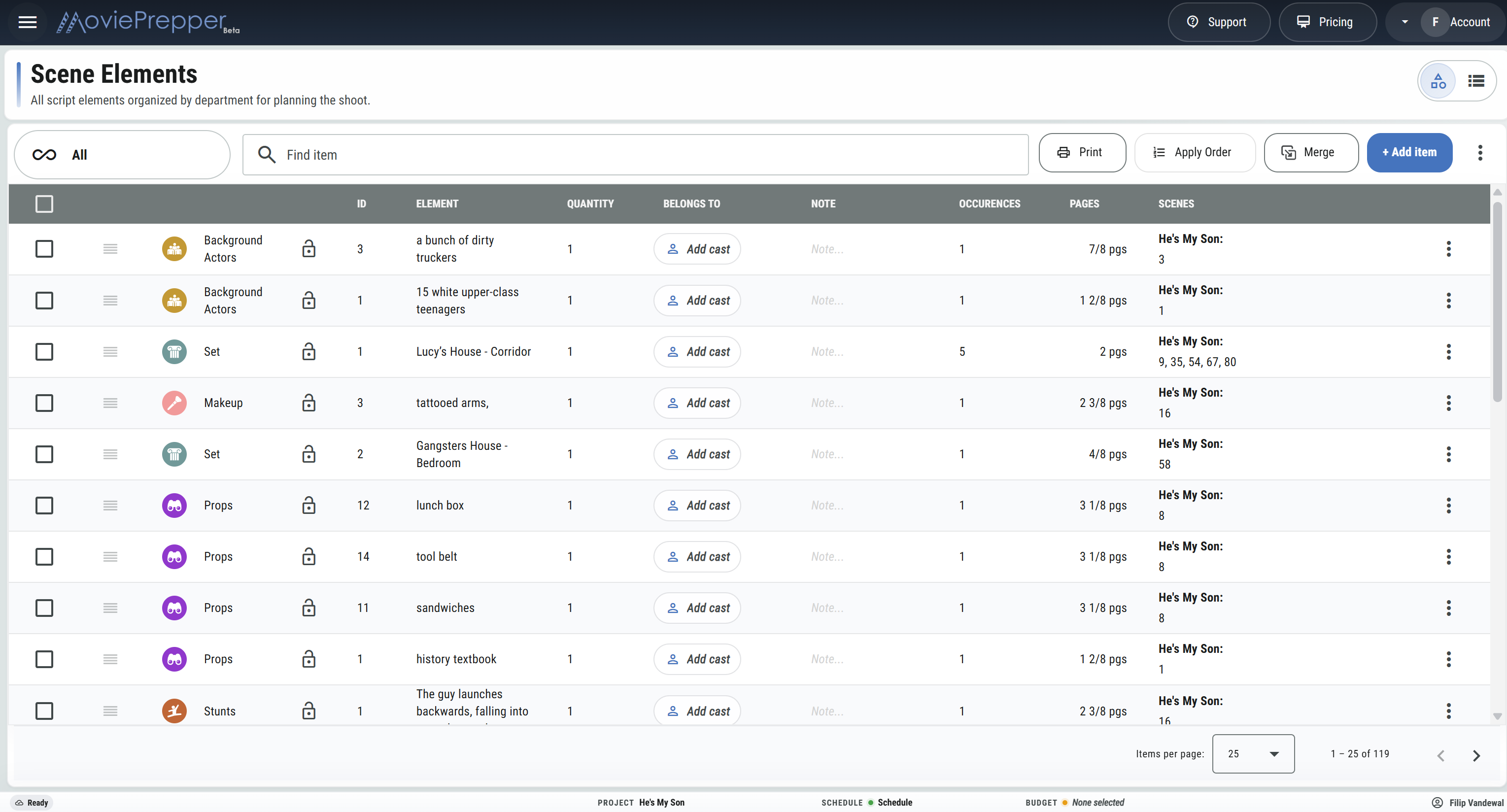
Breakdown list
Open all elements or one department at a time.
Find an item and sort the working columns.
Edit the ID, name, quantity, and notes in the list.
Read occurrence counts and total script pages for each element.
See every linked scene, grouped by script or episode.
Open the linked script pages as a PDF.
Link wardrobe, props, or another element to its cast member.
Choose the item to keep and move the scene links onto it.
Drag IDs into order or apply the current sort as the new order.
Hold key ID positions while the rest of the list is renumbered.
Select several elements to merge or delete them together.
Show only the columns needed for the current pass.
Department manager
Department handoff
Print scene elements in script order.
Print the breakdown per shoot day.
Choose which departments appear in the PDF.
Send the finished breakdown to cast or crew contacts.
Export the filtered, sorted element list.
Keep every production element organized by department, scene, and quantity.
Prepare Department Breakdowns